Most notes apps make you wait. You wait for the page to load, for search to catch up, and for a spinner to confirm your words are saved. Garnet is my newest project, and it is built to remove all of that. It is a very fast text editor that runs on your own machine, stays reachable from anywhere, and lets several people, and your coding agents, write in the same document at the same time. It is free, open source and MIT licensed, and it will stay a lightweight text editor. There are no slow features and nothing you would have to learn to work around.
Fast by Design
Garnet's speed comes from keeping slow work off the path between your keyboard and the screen. Editing and moving between documents you have already opened happen locally, so nothing waits on the network. Library search and local saving run in a Web Worker, off the thread that draws the page, so typing never stutters while a search runs or a document saves. Every change is saved to the device first and synced to the server in the background.
A service worker caches the app itself, and IndexedDB holds a copy of your whole library. A returning visit opens straight from that copy, so you can close your laptop on a train, keep writing offline, and let your changes merge when you reconnect.
Speed is measured rather than guessed. The repository includes a performance suite that seeds a 500-document library, slows the CPU down to mimic a mid-range laptop, and times cold loads, returning visits, document switches, search and every keystroke. A change that makes Garnet slower shows up in the numbers before it ships.
Your Machine, Reachable From Anywhere
Garnet runs on your own machine, and your notes live in a MongoDB database you control. Installing it takes one command. The installer sets up its dependencies, starts Garnet in the background and keeps it running after a reboot. It also checks daily for stable releases and rolls back automatically if an update fails its health check.
Keeping your notes at home does not mean leaving them at home. Garnet only listens on the local machine. To reach it from your phone or another laptop, you add a Cloudflare Tunnel, which gives it a public HTTPS address such as notes.example.com. You don't need to forward ports or run your own certificate, and the database is never exposed. The README walks through the setup step by step.
Write Together
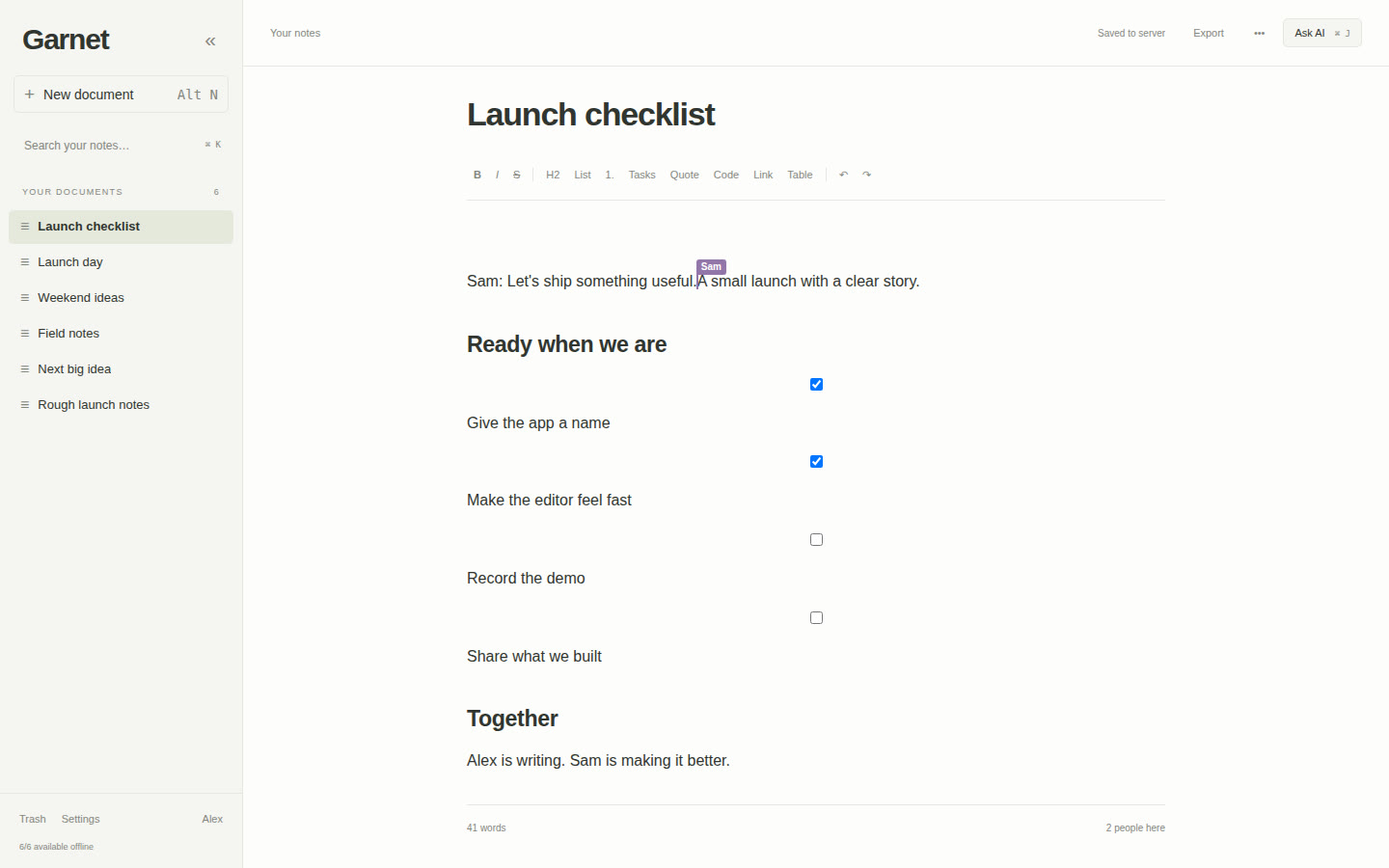
Every document in Garnet is collaborative. Open the same note as someone else and you see their cursor, labelled with their name, moving as they type. Edits travel as small incremental Yjs updates rather than whole-document saves, so collaboration stays responsive even in long documents.
Inviting people is simple. An admin adds an account for each collaborator with a temporary password, and Garnet asks them to choose their own password the first time they sign in. From then on they share your library, your pinned documents and your version history. Every saved version can be compared with the one before it, with additions in green, removals in red and changed passages in yellow.
You can also drop files straight into a note. Drag a Word document, PDF, EPUB, spreadsheet, slide deck or Markdown file onto the page, and its text lands exactly where you let go. Drop several at once and they arrive in order, and a single undo removes them together.
Agents That Work in Your Documents
Garnet is built for the way I work now, which involves a lot of Claude Code and Codex. It connects to them in two directions.
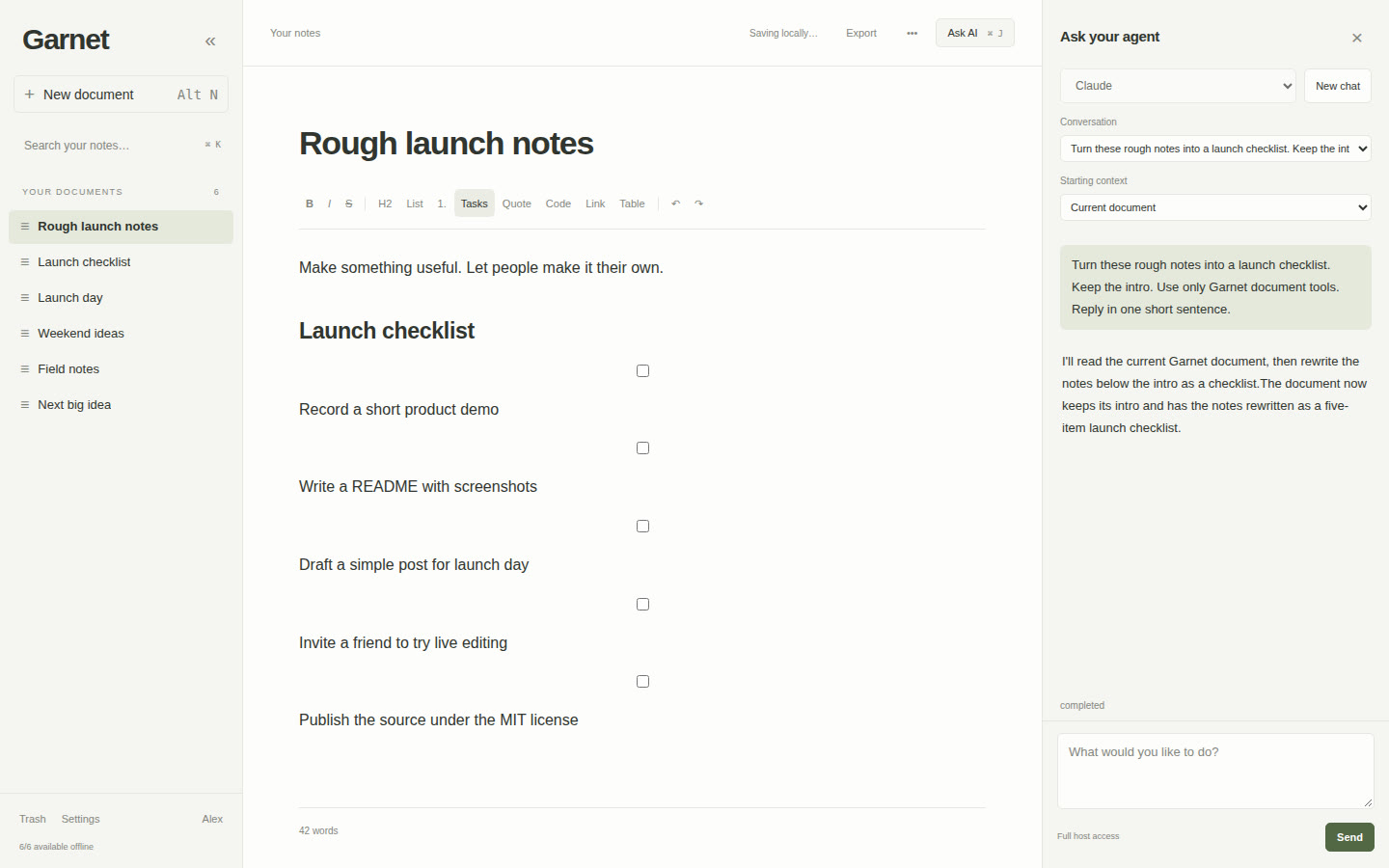
From inside Garnet, press Ctrl/Cmd+J to open the agent panel and ask Claude or Codex to do something with the document in front of you: turn rough notes into a checklist, assign an owner to every next step, or summarize the whole library. The agents run on your own machine as short-lived processes using the CLI logins you already have, so there is no extra account, API key or separate runner to manage. Garnet only adds the connection to your documents.
From your terminal, Garnet runs an MCP server, so the agents you already use can read, search, create and edit your notes. One command, npx garnet-mcp setup, finds your Claude Code and Codex installations and connects the ones you choose. After that, you can ask your coding agent to “read my launch notes in Garnet and add a testing checklist” from any project.
Either way, agent edits are careful with human work. Before an agent changes a document, it has to read the live content and prove it is editing the current version, so it never overwrites a sentence someone typed a moment earlier. Its changes appear in open documents behind a cursor labelled Garnet, so you can watch the edit arrive. One caution: agents run with your machine account's access, so give Garnet accounts only to people you would trust at your own terminal.
A Promise to Stay Small
Text editors tend to grow until they are slow. Each new feature adds weight, and after a few years the app that used to open instantly shows a splash screen. Garnet is not going that way. It will stay a lightweight text editor, with headings, lists, checkboxes, links, code blocks and simple tables, plus the collaboration and agent features that earn their place. If a feature would slow the editor down or clutter the page, it doesn't get in. Markdown is the import and export format, so your notes are never locked into Garnet.
Try It
Garnet runs on Linux and installs with one line:
curl -fsSL https://raw.githubusercontent.com/keysforthewin/Garnet/main/install.sh | bash
Open the address the installer prints, sign in as admin with the password password, and choose a new password when Garnet asks. The source, the demo videos and the full setup guide are on GitHub. If you are building something agent-heavy yourself, the notes in building conversational AI agents cover some of the same ground.